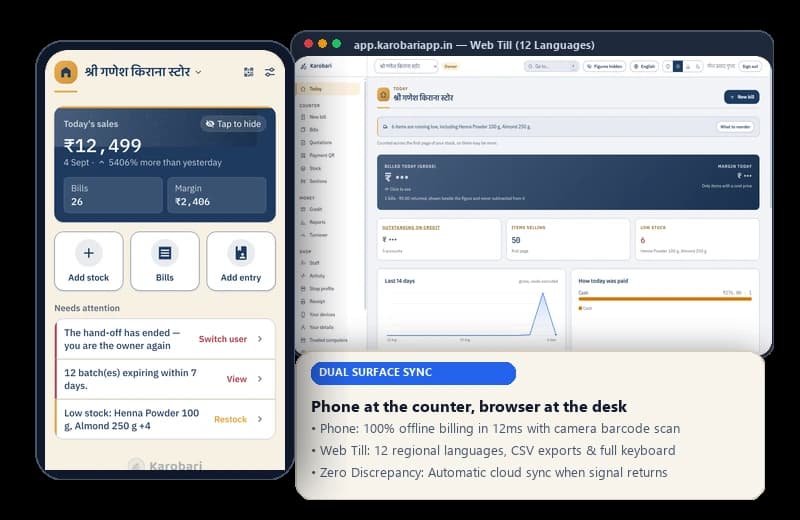
Android POS & Desktop Web TillOne app for the counter, a browser for the desk.
Three surfaces, each with a job it is better at than the other two — and two platforms we do not support, with the reason for each written down rather than left to be discovered.
THE ORDER MATTERS
The phone is in front on purpose
Every decision in this product assumes the till is a handset held in one hand with cash in the other. The browser is genuinely useful and it is genuinely secondary — a shop that never opens it is missing nothing that records a sale.
THE CORE SURFACES
What each one is for
Live on Play & Indus
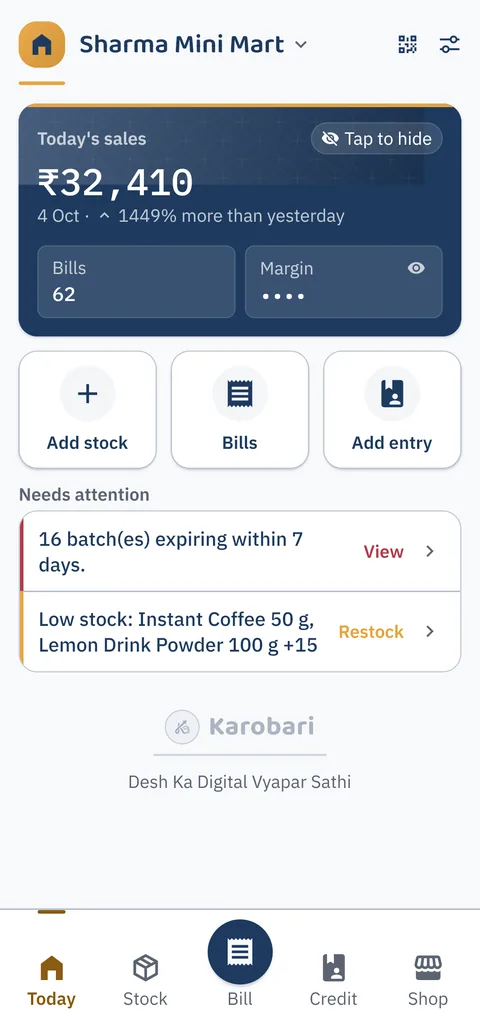
The Android app
You and your staff, at the counter
This is the product. Everything that records a sale happens here, on the phone that is already on your counter, whether or not there is a network.
✓Billing, offline, on a shared phone with a PIN each
✓Stock by scan, by shelf label, or typed against the shared catalogue
✓The udhaar book and one-tap reminders from your own number
✓A receipt on WhatsApp, as a PDF, or through Android's own print screen
✓Global availability: Works with local currencies (₹, Rs., ৳, AED, $, £, SR) and international phone codes
You, when you have a real keyboard and a bigger screen
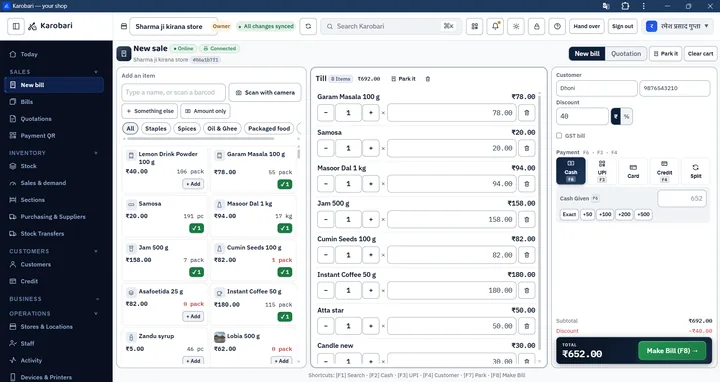
The same shop, on any computer or tablet browser at app.karobariapp.in. Full billing, inventory, and reports with native support for 12 Indian languages.
✓Available now in 12 languages: English, हिन्दी, मराठी, తెలుగు, தமிழ், ગુજરાતી, ಕನ್ನಡ, ଓଡ଼ିଆ, മലയാളം, ਪੰਜਾਬੀ, অসমীয়া, বাংলা
✓Full counter till with keyboard shortcuts (F2 pay, Space search, Esc cancel)
✓Direct WebUSB & ESC/POS thermal printing (58mm/80mm) with zero driver installs
✓Camera barcode scanning and physical USB/Bluetooth handheld barcode gun support
✓Dual screen Customer Display mode turning any secondary monitor into a live bill board
✓Instant phone QR scan sign-in — zero passwords to type on a shared counter computer
✓Reading long lists — stock, staff, the catalogue — with CSV and Excel export
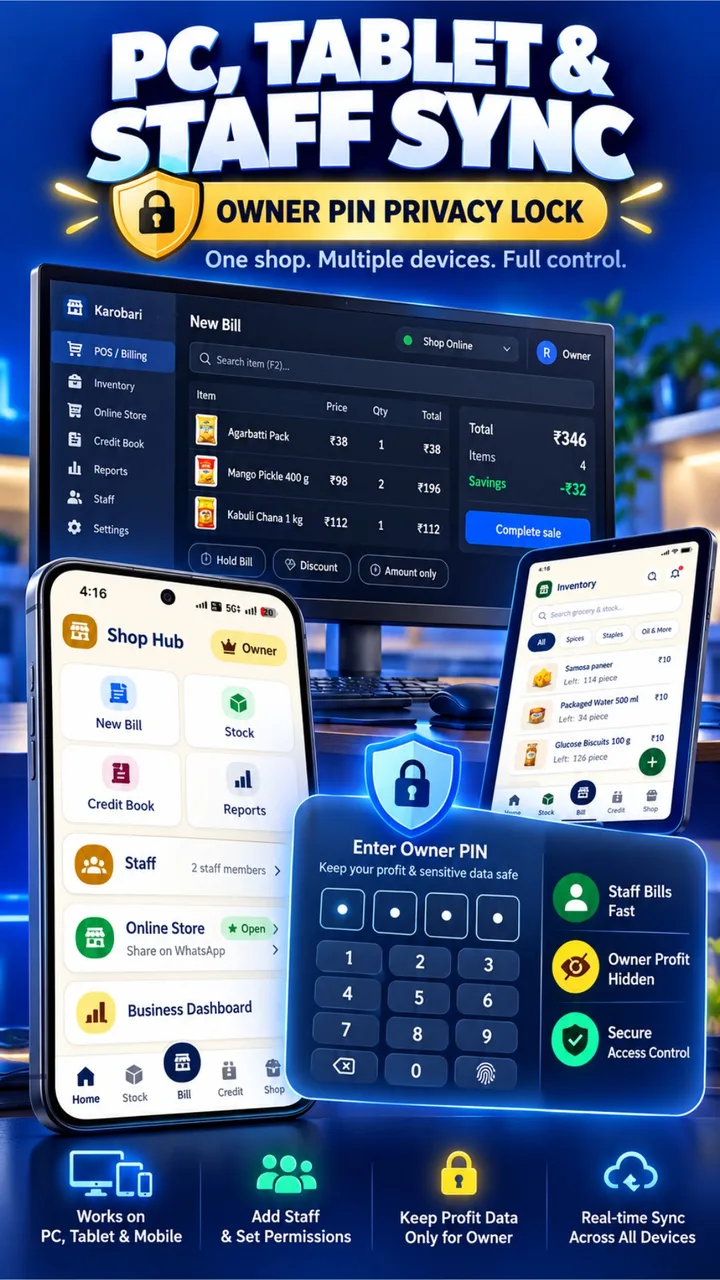
Equip multiple counters with smartphones, tablets, or PC laptops. Your cashiers bill fast at the front desk, floor staff count inventory in the aisles, and you supervise turnover with complete peace of mind.
Works on PC, Tablet & MobileAny modern device runs Karobari seamlessly. Zero hardware lock-in or proprietary POS terminals needed.
Owner PIN & Profit Privacy ShieldKeep net profit, gross margins, and purchase costs hidden behind a secure 4-digit PIN when staff operate terminals.
Real-Time Instant SynchronizationBills created on mobile immediately decrement PC inventory and reflect in daily galla and khata totals.
THE PHONE ITSELF
What it needs to run
Written for the handset already at the counter, not for a new one. If your phone runs WhatsApp, it runs this.
8.0+ (Oreo)
Android Version
Runs on any modern Android handset. Written for the smartphone already on your counter.
~100 MB
Device Storage
Lightweight install. Local bills and inventory records are plain text and take negligible space.
Optional
Phone Camera
Scans packaging barcodes in 0.5s. All items can also be selected or typed manually.
Optional
Receipt Printing
Prints via Android system print (Wi-Fi/USB-OTG), or generates instant WhatsApp receipts & PDFs.
Offline First
Network Signal
Needed once for SMS or zero-cost WhatsApp sign-in. Billing, stock decrement, and ledger updates require 0 internet.
THE NOS
Two platforms we do not run on
Not yet
iPhone
The app is built with a toolkit that can produce an iOS build, so this is a question of cost rather than a rewrite: an Apple developer account, a Mac to build on, and a review process, all before the first shopkeeper installs it. India's small-retail counter is overwhelmingly Android, so that is where the shops are. It is not a refusal — there is simply no date to promise, and inventing one would be worse than saying this.
Not planned
An installed Windows program
The browser you already have is the desktop version, and it updates itself. A program to download, install, sign and keep patched adds three things to go wrong and nothing the web till cannot already do. What used to sit in this slot — a desktop till of any kind — is live today in the browser at app.karobariapp.in, and it is described above.