WhatsApp Ordering System for Retail Shops
Turn customer WhatsApp messages into structured, ready-to-pack bills. Customers browse your catalog, build a cart, and send itemized orders directly to your phone with zero platform commission.
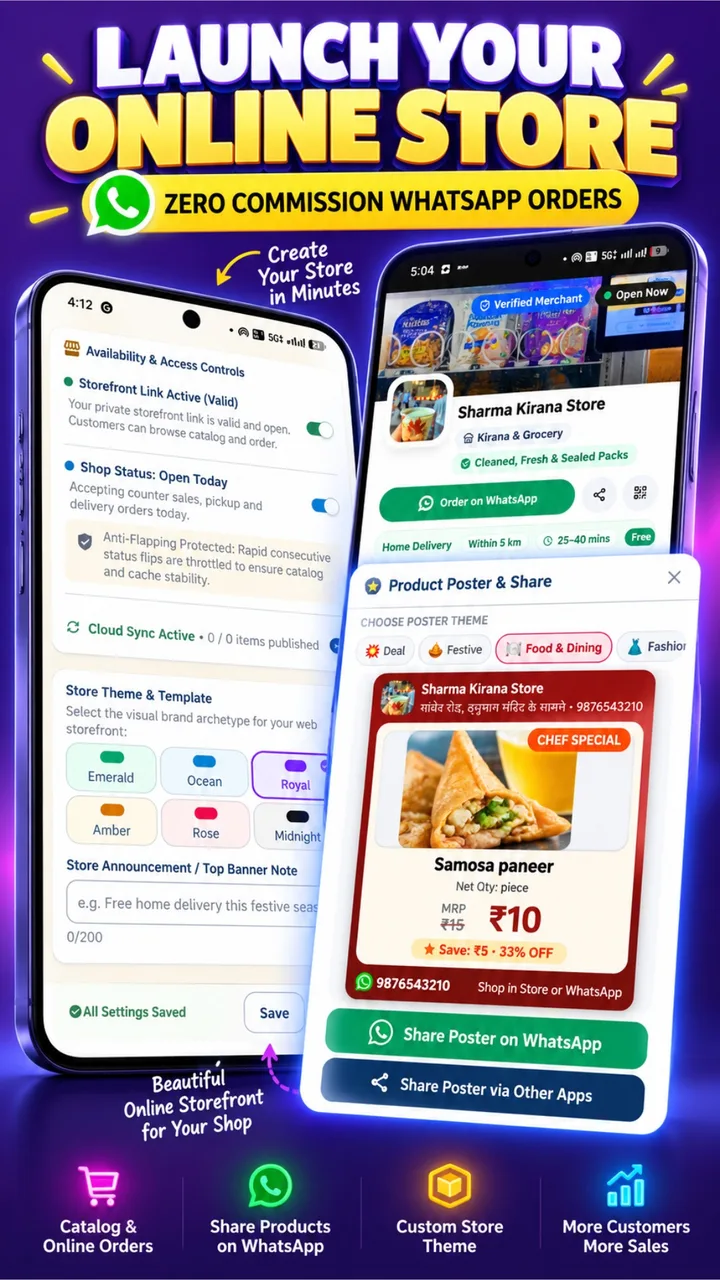
Stop decoding blurry photos and endless audio notes
How Karobari transforms informal chat messages into clear, structured orders.
Messy Unstructured WhatsApp Messages
- ✕10 voice notes asking “bhaiya wo namkeen hai kya? price kitna hai?”
- ✕Illegible handwritten paper lists with unclear brand names and missing pack sizes.
- ✕Manual re-typing of every item into your counter billing register during peak hours.
- ✕Confusion over delivery address, landmark, and payment confirmation.
Structured 1-Tap Itemized WhatsApp Order
📞 Phone: +91 98765 43210 · Pay: UPI / Cash
Engineered to streamline your daily delivery dispatch
Seamless synchronization between customer chat, shopkeeper register, and stock levels.
Zero Handwritten Order Chaos
Replace messy voice notes and scribbled paper lists with structured carts.
Customers often send vague audio notes or misspelled product names. With Karobari, buyers tap exact items with photos, weight variants (500g, 1kg, 5kg), and live prices before sending the order.
1-Tap Counter Bill Generation
Import the WhatsApp order into your POS till with a single tap.
No manual re-typing at the checkout counter. The incoming WhatsApp order loads directly into Karobari POS, automatically pulls the customer's name, applies item discounts, and prints a thermal packing slip.
Automatic SQLite Stock Decrement
Inventory decreases in real time with zero risk of overselling.
As soon as an order is fulfilled, your local SQLite product database deducts the sold quantities. Items running low trigger automated reorder alerts, and out-of-stock items turn gray on the online catalog.
Dynamic UPI Payment QR Response
Send back an exact-amount payment link or QR in 1 second.
When the order total is calculated (e.g. ₹745.50), Karobari generates a dynamic UPI link. The customer taps the link on WhatsApp and pays directly using PhonePe, Google Pay, Paytm, or BHIM.
Neighborhood Khata Credit Splitting
Tender online orders straight into the customer's credit ledger.
Trusted neighborhood families who settle bills at month-end can buy on credit. The order logs into their ledger, and Karobari sends an automated WhatsApp passbook receipt with their updated balance.
100% Offline Resilience at the Counter
Internet outages never halt your counter billing operations.
Incoming orders queue safely until connectivity is present, while your physical store checkout terminal continues ringing up walk-in customers at sub-second speed with zero cloud freezing.
1-tap dynamic UPI QR code response on WhatsApp
Never send customers generic UPI handles that require manual amount entry. Karobari encodes the exact order total into an instant UPI payment link and QR code sent directly in your WhatsApp reply.
Questions about taking orders on WhatsApp
How does the customer place a WhatsApp order through Karobari?
You share your unique shop link on WhatsApp status, social media, or print it on a counter QR standee. The customer taps the link, browses your products, adds items to their digital shopping cart, enters their delivery address, and taps 'Send Order via WhatsApp'. A neatly formatted, itemized order arrives directly on your shop WhatsApp number.
Does the customer need to install an app to browse my catalog?
No. The catalog opens instantly inside their standard mobile browser (Chrome, Safari, or WhatsApp in-app browser). Customers do not need to download or install any app.
How do I turn the customer's WhatsApp order into an invoice?
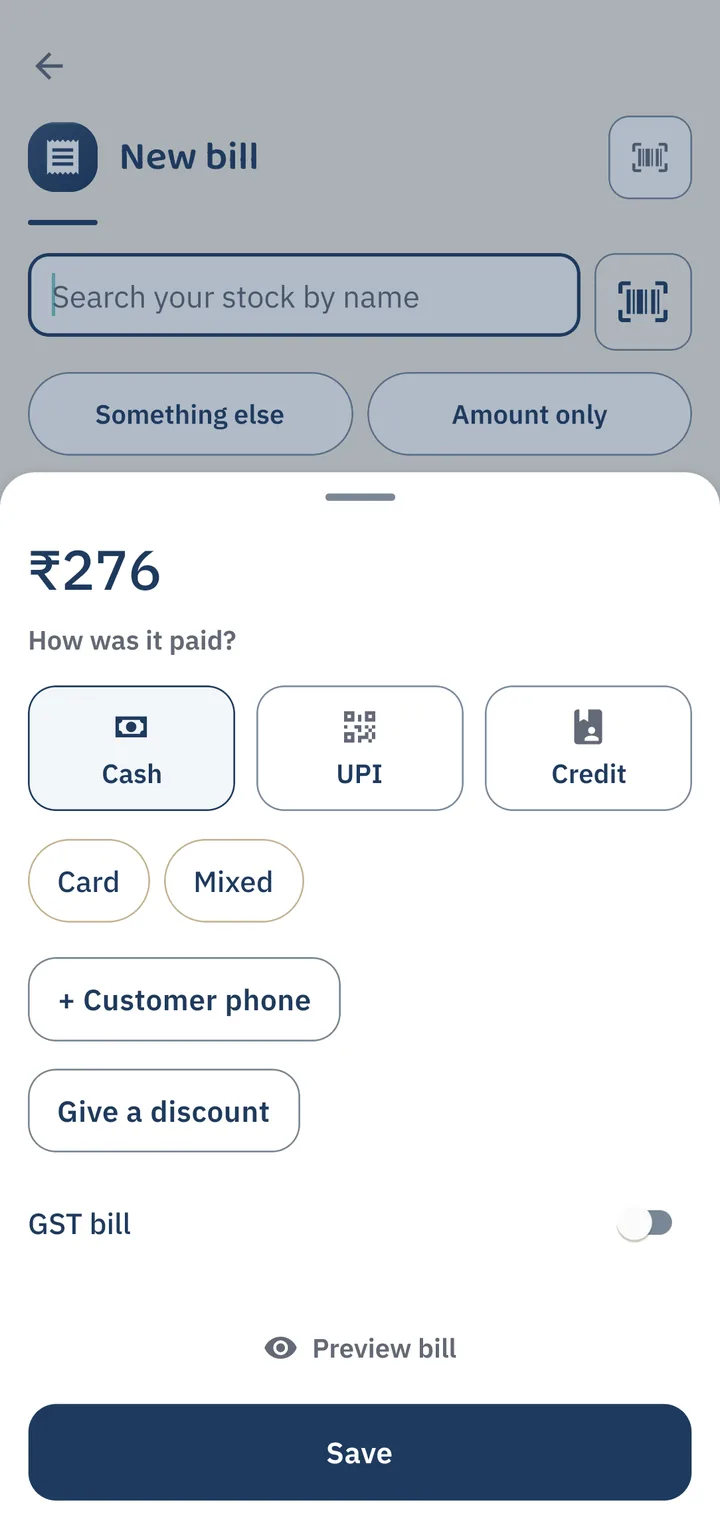
In your Karobari POS app, open the order and tap 'Convert to Bill'. The items, quantities, and prices automatically populate into the checkout register. You can print a 58mm/80mm thermal receipt or send a digital PDF bill back to the customer with 1 click.
Can I collect payments online or offer Cash on Delivery (COD)?
Both. You can share your dynamic UPI QR code (so customers pay the exact bill amount instantly to your bank account via PhonePe, GPay, or Paytm) or allow Cash on Delivery when your delivery staff brings the order.
Is there any monthly fee or commission per WhatsApp order?
Zero. Karobari does not take any commission, per-order fees, or monthly subscription tolls. The feature is 100% free for active Karobari shopkeepers.
Connected digital retail tools
Start taking structured WhatsApp orders today
Free for all Karobari merchants. Keep 100% of your customer relationships and 100% of your earnings.